
RATINGS
1930M
DOWNLOADS
4+
AGE

 Download Latest APK
Wait a moment, your result is coming soon!

Face is not found. Please try again with another clear full-face portrait of a better quality.

Take Quiz Now
Screenshots


About this app
-
 Name Volume Booster - Sound Booster
 -
 category Music & Audio
 -
 Price 0
 -
 Safety 100% Safe
 -
 Developer Simple Design Ltd.
 -
 Version 8.0
 -
 Target Casual Users
 -
 Update 2026.01.12
Related articles




Core Features
-
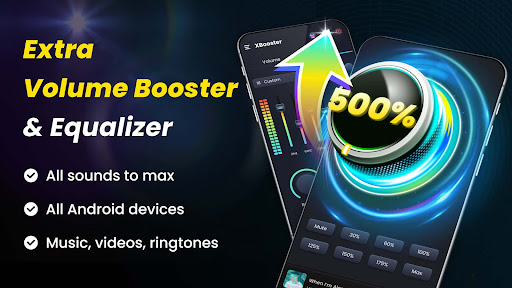
Ultimate Volume BoostingXBooster can significantly amplify your phone's sound output, increasing media and system volume by up to 200%, making it perfect for music, games, movies, and audiobooks.
-
Advanced Equalizer & Bass EnhancementWith a 10-band Equalizer and a powerful bass booster, XBooster offers 21 presets and customizable settings to enhance your listening experience with deep bass and immersive sound effects.
-
User-Friendly InterfaceThe app features a sleek, intuitive design crafted by professionals, allowing for effortless navigation and operation, including desktop widgets and notification controls for quick adjustments.
-
Colorful VisualizationsEnjoy your music like never before with colorful edge lighting and a captivating sound spectrum that visually represents the audio, enriching your overall sound experience.
-
No Root RequiredXBooster operates seamlessly across all Android devices without the need for rooting, making it accessible and safe for all users.
Pros
-
High CustomizabilityThe ability to customize the equalizer settings and choose from various presets allows users to tailor their audio experience to fit individual preferences perfectly.
-
Multi-FunctionalXBooster isn’t just for music; it enhances volume for videos, alarms, ringtones, and games, making it a versatile tool for amplifying sound across different applications.
-
Background FunctionalityThe app allows sound boosting while running in the background or on the lock screen, ensuring continuous playback without interruptions.
-
Pleasant Sound QualityBoosting volume doesn't compromise sound quality, ensuring users can enjoy loud audio without distortion.
-
Easy OperationThe one-tap sound mode and included music player controls make XBooster simple and convenient to use for any user.
Cons
-
Hearing Risk WarningUsers should be cautious as prolonged exposure to high volume levels may damage hearing, which could deter users who are sensitive to sound levels.
-
Device Performance ImpactOn low-end devices, the high volume boost may cause occasional performance issues or glitches, particularly during resource-intensive tasks.
-
Intermittent Audio LagSome users may experience audio lag or delays when switching between applications while using the volume booster feature, affecting overall user experience.
-
Limited Free FeaturesWhile a free version is available, some of the advanced features and customization options may be limited or require in-app purchases.
Price
-
Free VersionThe free version of XBooster is highly functional but may have restrictions on some premium features and customization options.
-
Pro Subscription BenefitsThe premium subscription unlocks additional features, including enhanced equalizer presets and exclusive sound effects, providing further value to serious audiophiles.
Ratings
4.9
422.2K votes
-
5
-
4
-
3
-
2
-
1